Your Skills Might Be Lint Rules In Disguise
Once you discover the power of skills, you will be tempted to turn every repeated prompt, checklist, convention, and internal process into one.

Once you discover the power of skills, you will be tempted to turn every repeated prompt, checklist, convention, and internal process into one.
Which works for a while until your skill library starts looking like a junk drawer.
You get a skill for writing Jira tickets. A skill for using pnpm. A skill for reviewing pull requests. A skill to prevent console.log. A skill for checking performance. A skill for using the company’s Button component from the Design System. A skill for remembering how the repo works.
Many of these should not be skills!
Skills are extremely useful when the problem is expertise. Anthropic describes them as reusable instructions, metadata, and optional resources (scripts, templates) that are used automatically when relevant. And they are extremely powerful. But the problems start when they are used as the default bucket for every AI customisation.
A skill should answer one question:
How should the AI assistant perform this kind of task when it comes up?
The examples above don’t answer that question. They’re solving different problems. Mechanical enforcement needs lint rules. Constant guidance needs rules or memory. User-triggered actions need explicitly invoked skills or explicitly invoked commands. Isolation, external data, enforcement boundaries, orchestration, and scheduling each need their own tool.
Start with behaviour, not abstraction
“Should this be a skill?” is usually the wrong first question.
It’s better to ask:
What kind of behavior am I trying to create?
A rule should guide the assistant by default. A lint rule should fail when violated. A command should run when explicitly invoked. A subagent should work with a separate context. A tool should fetch or mutate external state. A workflow should coordinate steps. An automation should run later or be triggered. A skill should load procedural expertise when relevant.
The trigger matters a lot.
This distinction is easy to miss because different tools use different names. Cursor Rules provide persistent, reusable context at the prompt level for Agents. Cursor supports project rules, user rules, AGENTS.md, and legacy .cursorrules. Claude Code memory uses CLAUDE.md files with project architecture, coding standards, and common workflows as typical examples. OpenAI Agents use instructions, guardrails, tools, and handoffs instead of a single md file.
The concept is the same, but the implementation is not.
So the architecture question is not “What file do I put this in?” It is “What behaviour do I want from the system?”
Where things actually belong
Ask these questions in order.
The first YES is your answer:
- Can it be mechanically enforced?
Lint rule, formatter, type checker - Should it always guide the assistant?
Rule, memory, context - User invokes it directly?
Skill with automatic invocation disabled (command-like) - Needs isolated specialist work?
Subagent, separate context, independent - Needs external data or actions?
Tool, MCP Server, capability API - Needs enforcement or validation?
Hook, guardrail, permission rule - Needs orchestration or branching?
Workflow, control flow, orchestration - Needs scheduled or triggered execution?
Automation, scheduled task, triggered action - Needs reusable expertise?
Skill, reusable procedure, lazy-loaded expertise
This first question is the one skipped lately when getting too excited about skills.
Before delegating a task to an AI system, consider if a non-AI tool already does this better. Formatting belongs in Prettier. Syntax restrictions belong in ESLint. Type-level invariants belong in TypeScript.
The model is bad at remembering. Your linter is not. A skill works, but sometimes hallucinates. A lint rule runs the same way every time.
Five examples
Let’s make this concrete.
1. Always use the Design System Buttons instead of <button> ❌
This should not be a skill. It shouldn’t be an AI rule.
It should be a lint rule.
// eslint.config.js or .eslintrc.cjs
module.exports = {
  rules: {
    "no-restricted-syntax": \[
      "error",
      {
        selector: "JSXOpeningElement\[name.name='button'\]",
        message:
          "Use the Button component from '@/components/Button' instead of <button>.",
      },
    \],
  },
};
This catches the violation, whether the code was written by Claude, Cursor, you, or someone on your team. It runs on save, in CI, and in review. It does not depend on the model noticing that a skill is relevant.
A rule like “prefer composition over useEffect for derived state” is harder to lint. That may belong in project memory or Cursor Rules. But “do not use <button>” is not subtle. A parser can catch it in milliseconds.
If it can fail a build, it should probably not be a skill.
More examples that belong in ESLint: no default exports, no console.log, no imports from private package paths, no raw <img> tags, no deprecated design tokens, and no direct use of fetch outside the API client.
2. Draft a Jira ticket ⁉️
This looks like a skill at first.
But what behaviour do you actually want? Do you want the assistant to notice, on its own, that a conversation might become a Jira ticket? Usually no. We want to type:
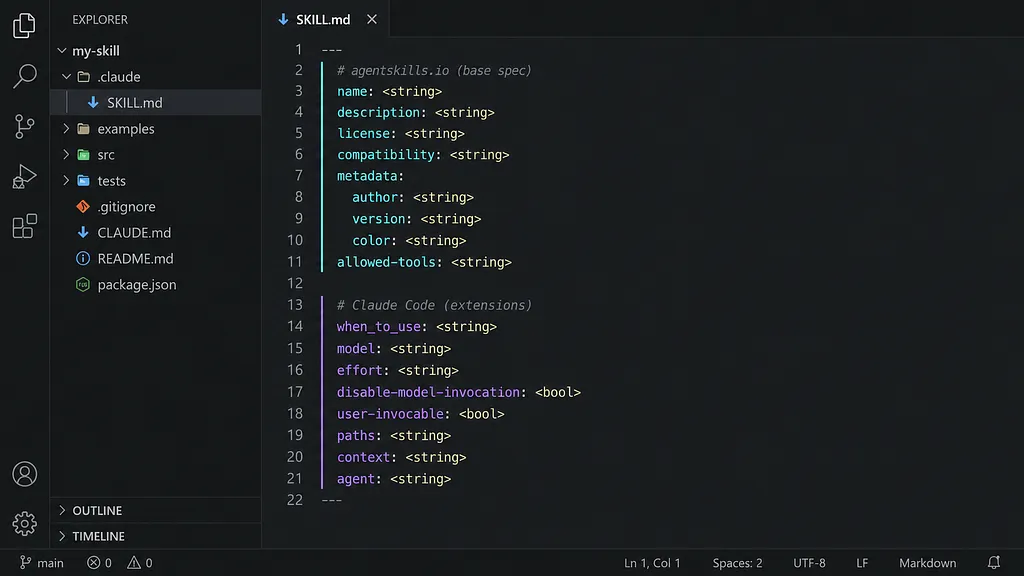
/ticket turn this into a Jira issueThat is command-like behaviour, not a model-invoked skill. In Claude Code, this was implemented with commands until it got deprecated for skills withdisable-model-invocation: true so the assistant only runs it when you explicitly ask.
This additional option is important but easily missable. If you know when the command will execute, do not add a guessing step.
3. Reviewing Pull Requests ❌
This should be a subagent.
A code review benefits from a fresh context. You don’t want the reviewer to inherit assumptions from the conversation that wrote the code, and you don’t want intermediate reasoning cluttering your session. Claude Code subagents have their own context window, tools, and prompts. They are separate specialists, not guidance injected into the current task.
A skill can tell the current assistant how to review the code. A subagent can be the reviewer. For code review, security review, performance analysis, and similar work, that separation is the whole point.
More examples that belong in subagents: security, accessibility, performance and test coverage reviewers, research crews, task managers, web automation agents, calendar assistants, and smart schedulers.
Many more good examples in awesome-ai-apps
4. Investigate this flaky E2E test ✅
This is a real skill candidate. Debugging a flaky E2E test is a repeatable investigation workflow. It needs project-specific knowledge: architecture, dashboard links, CI conventions, log locations, known failure patterns, and debugging steps.
That information is useful, but only sometimes. It should not always sit in memory.
When the user says, This passes locally but fails in CI, the AI should load the right procedure:
flake-investigation/
├── SKILL.md           (when to use, what to do)
└── dashboards.md      (loaded as needed)
The skill can guide the assistant to check traces, compare CI results, look for known flaky selectors, inspect backend logs, and avoid lazy fixes like increasing the timeout.
That is what skills are good for: reusable procedural expertise that should load when relevant.
A useful skill library contains procedures. A junk drawer contains every preference someone remembered to write down.
More examples that belong in skills: flaky test investigation, migration playbooks, incident writeups, launch announcement generation, domain-specific report creation, known-debugging workflows, and framework-specific implementation guides.
5. Pull our SLO data from Datadog ⁉️
This should be a tool, probably through MCP.
Do not write a skill that describes how Datadog works when what you need is to fetch specific Datadog data. The model doesn’t need all the instructions, it needs access. Both Claude Code and Cursor support MCP for connecting to external tools and data sources.
A skill can still help after the data arrives in order to interpret the data, for example. But the data access is a capability, not a skill.
Conclusion
Not everything should be a skill. In fact, most things shouldn’t be.
The next time, start by asking the questions
- Can a tool enforce this automatically?
- Should it always run?
- Does the user invoke it explicitly?
- Does it need isolation?
- Does it need external data?
Those five questions map to nine possible answers. Only one of them is a skill. Once you start asking the right questions, you’ll stop building junk drawers. Your skill library will contain actual procedures. Your linters will enforce what matters. Your commands will run when you say so. Neither you nor the model will need to guess.
Bonus: Useful Skills Directory
There is a growing ecosystem around reusable agent skills in skills.sh which makes the distinction in this article even more important. Too many competing skills can diminish the quality of the prompt. The more skills overlap, the more the assistant has to guess which one applies, and the more likely it is to load the wrong context.

Keep reading