5+1 MCP Servers for Cursor
Imagine browsing the web without an ad blocker.

Imagine browsing the web without an ad blocker.

dailymail website withoud adblock
Or using your favourite IDE without syntax highlighting.
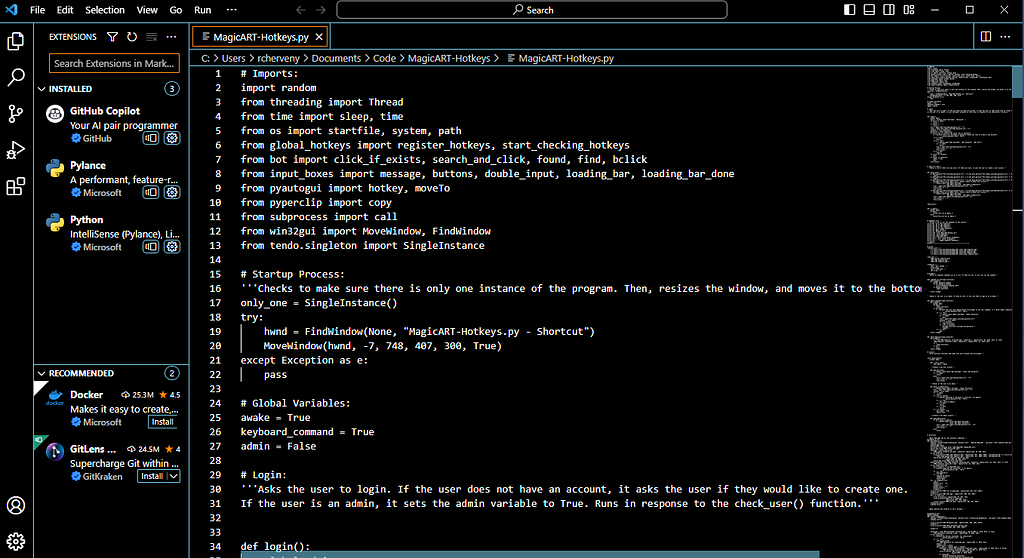
vscode without syntax highlighting plugin
This is how the lack of MCPs feels today.
They are the difference between an AI that replaces Stackoverflow and one that acts as a copilot and gets work done.
The most popular LLMs are great with generic tasks. They can suggest recipes, summarise articles, or explain basic concepts.
Real-world development work is different.
We work with specific programming languages and frameworks, different versions, internal APIs, design files, tickets, and tests. This context rarely fits inside a single prompt.
Training one model to know everything would be expensive, and its responses would be much slower.
MCP servers solve this by giving models access to the right tools, data, and context. Instead of forcing one model to know everything, we let it ask the right system when needed.
Installation
In this article Im using Cursor, which is based on VSCode, but the same ideas apply to any modern IDE.
Cursor has a dedicated section for Tools & MCPs in its settings.
When you first open it, it will be empty.
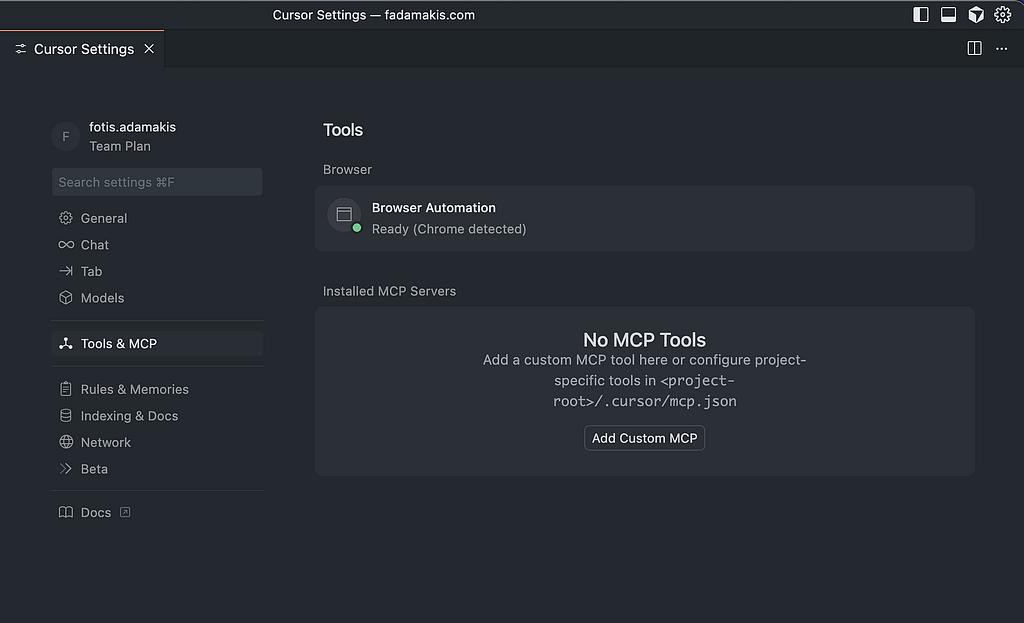
Each new MCP will be an entry to the mcp.json file.
An example will look like the following (we will explain more later):
{
   "inputs": \[\],
   "servers": {
     "figma": {
       "url": "https://mcp.figma.com/mcp",
       "type": "http"
     }
   }
 }
💡 Installing project-specific MCPs is also possible
MCP Server 1: Context7
Let’s start strong with a simple but very useful MCP.
Context7 pulls up-to-date, version-specific documentation and code examples directly into our prompts.
If you ever received React code written for an older version, or Vue2 examples that no longer work, you already know the pain.
→ Install context7 MCP in cursor
Once installed
- We write our prompt as always
- Add the note to use context7 (or set up a rule once)
- The IDE will now fetch the correct documentation before answering
Example prompt:
\> Create a Next.js middleware that checks for a valid JWT in cookies
and redirects unauthenticated users to \`/login\`. use context7
The answer now matches the framework version we are using. It follows patterns and APIs that exist and are not deprecated.
This significantly reduces hallucinations, and it just works™.
MCP Server 2: Figma MCP
Let’s jump to my favourite MCP, and the one that truly saves me hours of work every week.
Figma to code tools are already quite good. They have improved a lot over the past months and can produce surprisingly accurate code snippets.
The main problem is not the generated code itself. It is the context where that code exists. Following existing patterns, naming conventions, and variables is something Cursor already does very well. But when the design lives in a separate tool, we still have to bridge that gap ourselves.
On top of that, the constant switching between Figma and the editor can be frustrating.
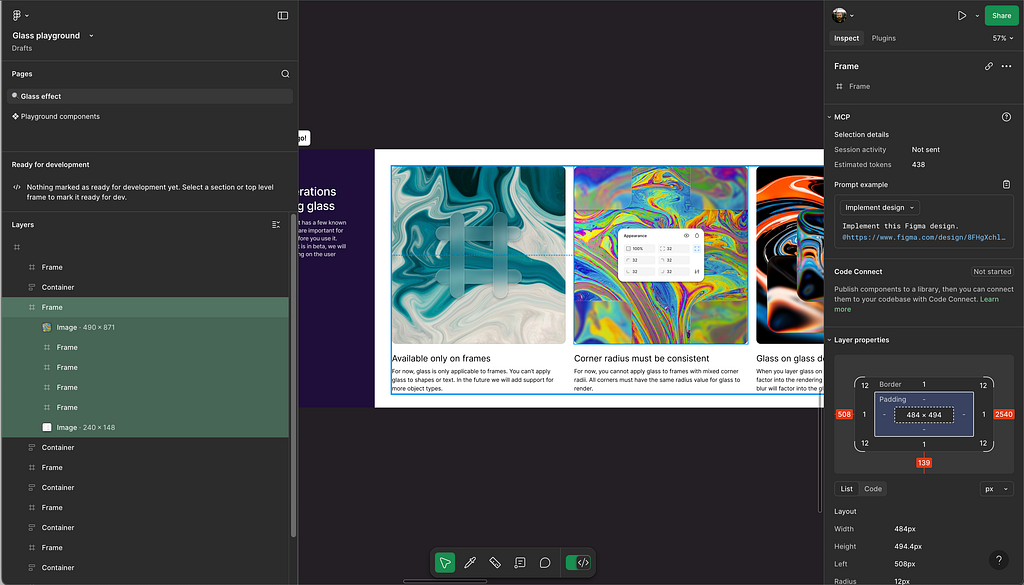
Figma MCP makes this much nicer by bringing the designs directly into the IDE. We can directly reference them inside our prompts like:
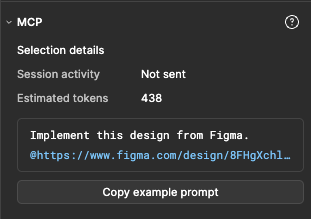
The model can inspect layers, spacing, and components while staying aware of your existing codebase.
Because Figma layers map closely to the DOM, the generated code usually starts in a good place and follows the patterns already used in the project.
But the biggest win is avoiding switching context. We can stay in cursor, iterate on the implementation, and refine the result without constantly switching tools.
MCP Server 3: Atlassian Rovo (Jira) MCP
Designs are always one part of the equation.
We rarely start coding without some context. Requirements, edge cases, constraints, and acceptance criteria are usually already defined beforehand. I’m lucky to have a great PM, and most of this ends up in Jira tickets.
With the Jira MCP, instead of copying descriptions into prompts, the IDE has access to the ticket directly. This helps especially with edge cases or small details that the designs might have missed. In my case, this made a big difference in code quality and reducing bugs.
Another useful use case I found is generating project documentation by giving the IDE access to all the tickets inside an Epic. It needs a few tweaks, but the result is quick and usually well-made.
MCP Server 4: GitHub MCP
Another great tool for Github users. It gives access to read repositories and files, work with issues and pull requests, analyse code, and interact with workflows.
Useful Use Cases
- Repository management: browse code, search files, inspect commits, and understand project structure.
- Issues and pull requests: create, update, and manage issues and PRs for bug triage and reviews.
- CI and workflows: inspect GitHub Actions runs, analyse failures, and get insight into pipelines.
- Code and security analysis: review code patterns, Dependabot alerts, and security findings.
- Team collaboration: access discussions, notifications, and team activity.
Personally, I use it daily to create pull requests directly from the IDE when my work is done. Monitor github actions and have access to code review suggestions directly in the code.
→ Install Github MCP in cursor

MCP Server 5: Playwright MCP
Testing is another area where context matters a lot.
The Playwright MCP allows the model to reason about browser automation, tests, and flows with real knowledge of our setup.
This helps when:
- Writing new end-to-end tests
- Debugging flaky behaviour
- Updating tests after UI changes
You get suggestions that are based on how Playwright actually works.
MCP Server 6: Custom Implementation (Design System)
Creating a custom MCP server might be easier than you think.
In my company, we use a custom component library built on top of our design system. The components are well defined, but making the IDE aware of what exists and how each component should be used was a challenge.
A small custom MCP solved this by exposing our design system as structured data. The model can query available components, supported props, variants, and basic usage rules at generation time.
Instead of guessing or generating generic UI, Cursor can check what already exists and follow the same patterns we use in the codebase.
All it takes is a simple service that exposes this data and an MCP wrapper around it. Once this context is available, AI suggestions start to feel native to the system.
How to Build a Custom MCP Server with TypeScript - A Handbook for Developers
Conclusion
If you are a bit sceptical or overwhelmed by AI, like I was a few months ago, this is your sign to try just one MCP this week. Start small with creating a PR using the github MCP or installing context7 the next time cursor is using jest.mock inside an e2e test.
And embrace them! They are somehow both overhyped (many MCPs make no sense) and big time savers when used properly.
I’m leaving you with some additional resources for further reading:
- What is the Model Context Protocol (MCP)?
- 5 Best MCP Servers for Developers | Snyk
- Awesome MCP Servers
- Model Context Protocol Servers
Keep reading