Vue Meets GraphQL
A Side-by-Side Look at Code with and without GraphQL

Vue Meets GraphQL
A Side-by-Side Look at Code with and without GraphQL
A big factor in the quality of a large codebase is how to handle interactions with an API. Traditionally, REST is most commonly used and the first pattern that most front-end engineers learn. But, what if I told you that REST is no longer considered the best approach?
GraphQL is a modern alternative that offers more efficiency and flexibility. In most large-scale applications, it has become an essential building block, since getting started is relatively easy and the benefits are well worth it.
Over-fetching and Under-fetching
With GraphQL, we can request only the data we need, avoiding the common over-fetching and under-fetching problems that come with REST. This means smaller and faster API calls. On mobile devices, this is crucial since it reduces data usage and speeds up loading times.
Demo Project
To demonstrate the differences between the two approaches we will use a small application that lists all the countries using a public API available in both Rest and GraphQL.
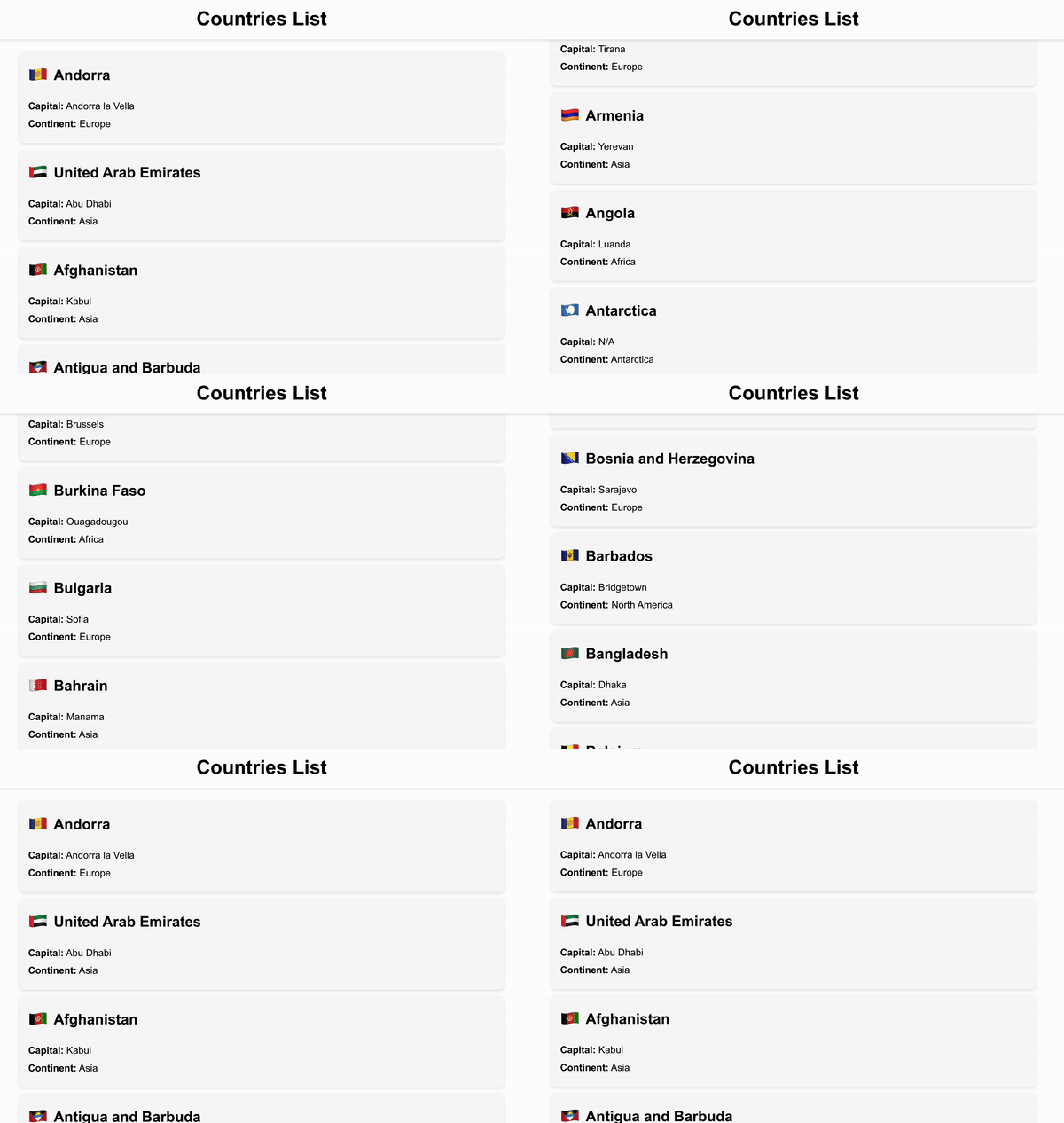
We will need a simple presentational component to display the data.
<!-- CountryCard.vue -->
<template>
  <div class="country-card">
    <div class="flag-and-name">
      <span class="emoji">{{ country.emoji }}</span>
      <h2>{{ country.name }}</h2>
    </div>
    <div class="country-info">
      <p><strong>Capital:</strong> {{ country.capital || "N/A" }}</p>
      <p><strong>Continent:</strong> {{ country.continent.name }}</p>
    </div>
  </div>
</template>

<script setup>
defineProps(["country"]);
</script>

<style scoped>
...
</style>
And another one that only fetches the data using a composable.
<!-- CountryList.vue -->
<template>
  <div class="container">
    <h1>Countries List</h1>
    <div class="country-list">
      <CountryCard v-for="country in countries" :country="country" />
    </div>
  </div>
</template>

<script setup>
import CountryCard from "./CountryCard.vue";
import { useCountries } from "../composables/useCountries";

const { countries } = useCountries();
</script>

<style scoped>
...
</style>
The useCountries composable is making a GET request using the browser native fetch and stores the JSON response inside a returned ref.
// ./composables/useCountries.js
import { ref, onMounted } from "vue";

export function useCountries() {
  const countries = ref([]);

  const fetchCountries = async () => {
    try {
      const response = await fetch("https://restcountries.com/v3.1/all");
      if (!response.ok) throw new Error("Failed to fetch data");
      const data = await response.json();
      countries.value = data;
    } catch (error) {
      console.error("Error fetching countries:", error);
    }
  };

  onMounted(fetchCountries);

  return {
    countries,
  };
}
So far everything should be familiar and easy to follow and since our application is working as expected this is where development usually stops.
But if we take an extra step and review the performed API calls inside the network tab of the development tools we will observe that we are actually fetching a whopping 172kb of data. And most of them are not really used anywhere. A classic example of overfetching.
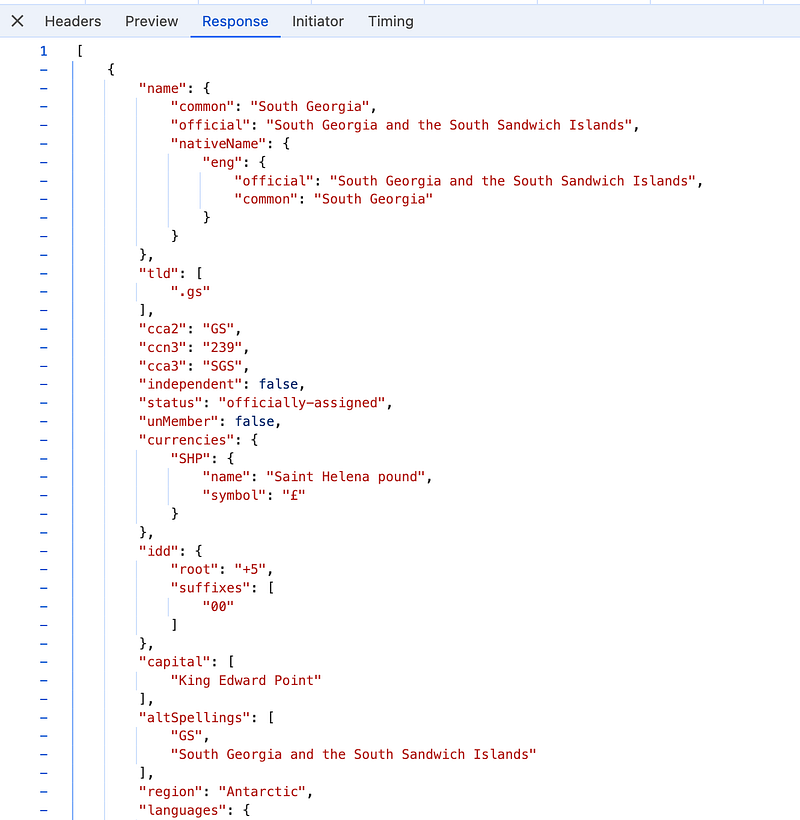
On my development computer using a wired network, this call is fast and might not seem significant. However, for mobile users in most of the countries in the list above, this API call can lead to noticeable delays and increased mobile data costs. In a large application, these calls can add up quickly.
Let’s explore how we can fetch only what’s needed using GraphQL.
GraphQL
First, we need to define a QraphQL query which contains only the data we need.
query {
  countries {
    emoji
    name
    capital
    continent {
      name
    }
  }
}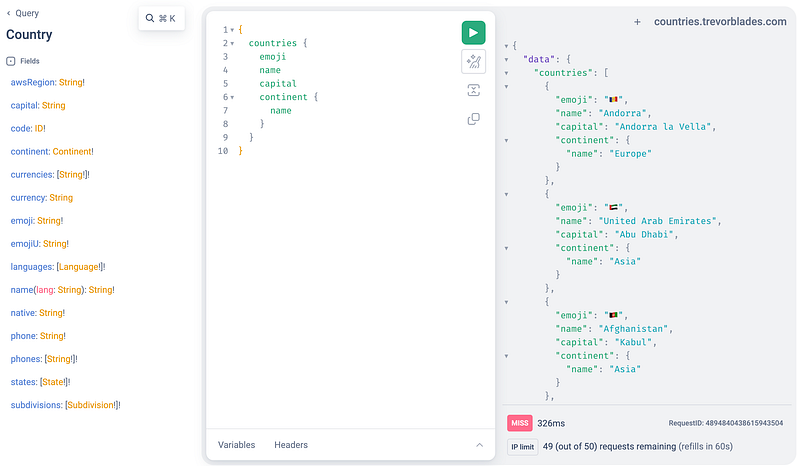
[https://countries.trevorblades.com/](https://countries.trevorblades.com/)
Then we need to update our composable to fetch the data from the GraphQL API passing this schema as the body parameter.
// src/composables/useCountries.js
import { ref, onMounted } from "vue";

export function useCountries() {
  const countries = ref([]);

  const fetchCountries = async () => {
    const query = `
      query {
        countries {
            emoji
            name
            capital
            continent {
             name
            }
        }
    }
    `;

    try {
      const response = await fetch("https://countries.trevorblades.com/", {
        method: "POST",
        headers: {
          "Content-Type": "application/json",
        },
        body: JSON.stringify({ query }),
      });

      if (!response.ok) throw new Error("Failed to fetch data");

      const jsonResponse = await response.json();
      countries.value = jsonResponse.data.countries;
    } catch (error) {
      console.error("Error fetching countries:", error);
    }
  };

  onMounted(fetchCountries);

  return {
    countries,
  };
}
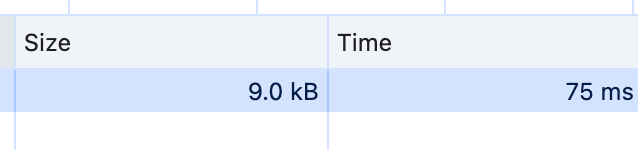
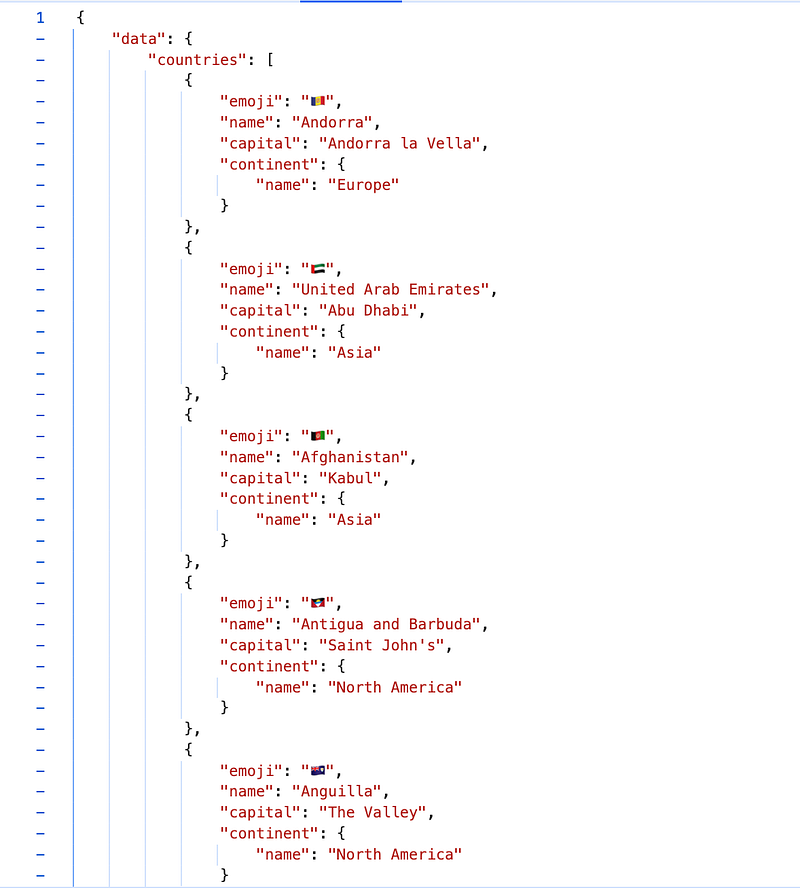
The rest of the code hasn’t changed. Notice that we are still using an HTTP call with the native fetch. The size of the API call is now reduced to 9kb and we are only getting the data we need. That’s a ~95% reduction!
In a similar manner, I’m sure you had to do, at least once, multiple API calls to gather all the necessary data. This approach is not only inefficient but also time-consuming, as these calls are often sequential. Each call adds to the overall latency, slowing down the response time.
With GraphQL we can specify and aggregate exactly what data we need in a single request, reducing the number of requests and eliminating underfetching.
Advanced GraphQL
The capabilities of GraphQL don’t stop with basic data fetching optimisation.
Some of the advanced capabilities are:
- Subscriptions for Real-Time Data: GraphQL subscriptions allow our application to receive real-time updates, which is perfect for features like live notifications or chat applications.
- Batching and Caching with DataLoader: Tools like DataLoader help optimize data fetching by batching requests and caching results, which minimizes redundant data retrieval and improves efficiency.
- Schema Stitching and Federation: These techniques allow us to combine multiple GraphQL schemas into a single unified API, making it easier to manage data across distributed systems.
- Fragments for Reusability: By using fragments, we can reuse parts of our queries, reducing repetition and making our codebase cleaner and easier to maintain.
- Custom Directives: GraphQL supports custom directives, which can be used to add functionality like authentication checks or conditional data fetching directly within your queries.
Conclusion
For large-scale applications, GraphQL is a modern tool for consuming APIs. It offers significant improvements in performance and scalability, supports real-time updates and provides a variety of features that simplify complex tasks, and improve the overall efficiency of your APIs calls.
Additional Resources:
- Official GraphQL Docs
- Awesome Vue GraphQL
- Apollo GraphQL
- Github Repo of this project
Keep reading
![Better Vue Components with TypeScript [12 examples]](/_astro/img-1.D1-fPpiS_ZnBJgo.webp)